
Security is evolving fast, and hardware keys like the YubiKey have become popular guardians for your digital life. But suddenly, some users found their trusty YubiKeys not working with certain MFA (Multi-Factor Authentication) apps. Why now? What’s going on? Spoiler alert: a mix of kernel extension (KEXT) quirks and security suite clashes caused the mess — but a clever patch saved the day.
TLDR (Too long, didn’t read)
Recently, many users saw their YubiKeys stop working with MFA apps due to changes in how security software interacts with USB devices. Newer security suites hardened system access, interfering with USB-based hardware keys. A compatibility patch involving USB permissions and legacy KEXT support fixed the issue. Now your YubiKey is back in action — security for the win!
So, What is a YubiKey, Anyway?
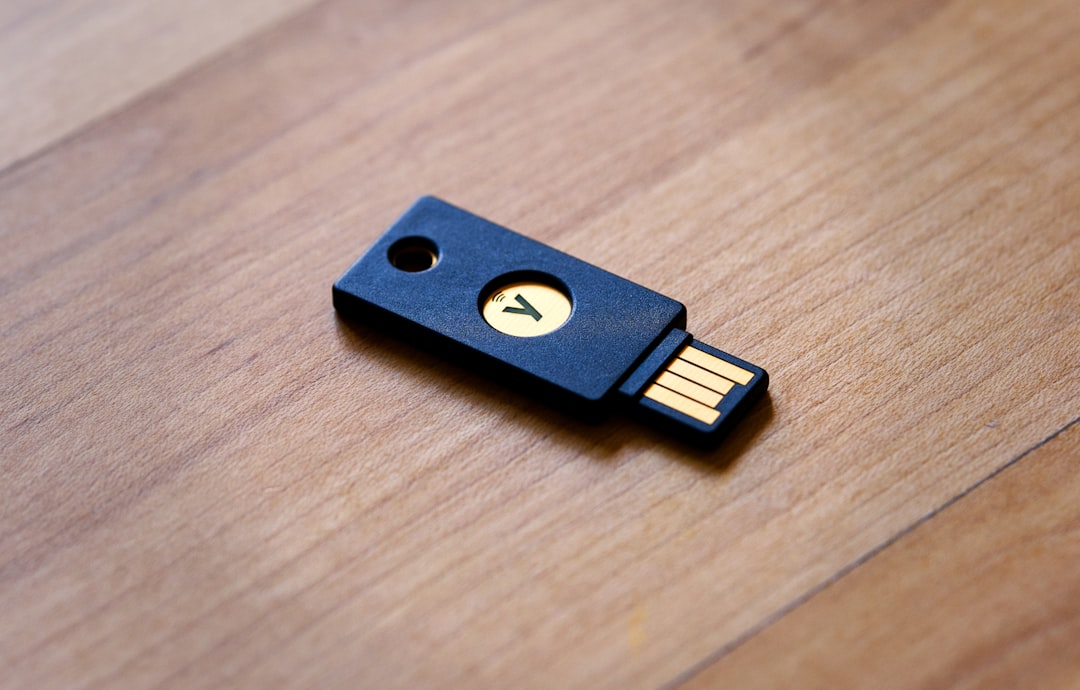
A YubiKey is a small, physical security key that plugs into your computer or mobile device. It strengthens your login by working as a second step in multi-factor authentication. Instead of just using a password, you tap the YubiKey to confirm it’s actually you.
This extra layer of security helps keep hackers out of your accounts — even if they guess your password. It works with tons of apps, browsers, and systems.
When Things Broke: The Sudden Incompatibility
Around late 2023 and early 2024, users noticed something strange. Their YubiKeys weren’t being detected. Apps like Google Authenticator, Okta Verify, and even password managers like 1Password didn’t recognize the device anymore.
At first, people blamed their computers, browsers, or even the YubiKey itself. But the issue went deeper.
The Hidden Culprit: Security Suites
The real issue came from certain antivirus and security suites that started enforcing stricter USB policies. Brands like Avast, Norton, and newer versions of enterprise software began sandboxing access from apps to USB-connected devices.
That’s a good thing — mostly. It prevents unauthorized USB devices from stealing your data or injecting malicious code. But it also led to unintended collisions with legitimate tools — like YubiKeys!

Understanding the USB and KEXT Connection
To talk solutions, we have to zoom in on how macOS and USB devices work. On macOS, hardware access used to rely on something called a KEXT, short for Kernel Extension. These are modules that let devices like USBs talk to your operating system.
But KEXTs are old-school. In recent macOS versions (especially from Catalina onward), Apple has moved away from using them. Instead, they promote more secure, modern tools called System Extensions.
Here’s where it gets messy:
- YubiKey and some MFA apps still rely on methods tied to older KEXT-style access.
- Some security suites started blocking these methods to strengthen security.
- The result? The YubiKey couldn’t “talk” properly to apps anymore.
Cracking the Case: Community Finds the Fix
The tech community quickly jumped into detective mode. Developers dug through system logs, tested on different OS versions, and reached out to security suite vendors.
🎯The Breakthrough: A Compatibility Patch
What they discovered was that security software had disabled or restricted access to legacy KEXT-based USB interfaces — right where the YubiKey and companion apps operated.
So, a patch was devised. It did two things:
- Re-enabled limited KEXT support: Enough to allow trusted hardware keys like YubiKey to function without reintroducing old security holes.
- Modified USB permission settings: Became more selective — giving YubiKey and approved apps access, while keeping unauthorized devices locked out.
Installing the Patch: What Users Needed to Do
The patch wasn’t automatic. In most cases, users needed to follow a few simple steps:
- Update their Security Suite: Vendors like Norton and Avast rolled out config or policy updates. These reclassified YubiKey apps as “trusted.”
- Allow USB Key Access: Some operating systems prompted users to approve USB-based authentication devices manually.
- Install a Companion Helper Tool: A small helper app from Yubico ensured newer system extensions replaced the blocked KEXT calls.
After this, everything just… worked again ✨
What Is KEXT, Really? (Bonus Nerd Corner)
Okay, if you’re still with us, you might wonder: Why were KEXTs such a big deal?
KEXTs act like bridges between your system hardware and software. They run at the kernel level — the core of your operating system. That makes them powerful, but also risky. If bad code sneaks into the kernel… boom, security nightmare.
That’s why Apple started deprecating KEXTs, pushing developers to move to user-space system extensions. It’s like moving a dangerous chemical from your kitchen into a high-security lab instead.
YubiKey Today: Still Strong, Smarter Than Ever
With the patch now in the wild, YubiKey regained its superpowers. Most MFA apps now work seamlessly with it again. And many security suites have been updated to play nicely with USB authentication devices.
Even better, newer YubiKey models are embracing modern APIs and protocols. They support WebAuthn and FIDO2, standards that skip old KEXT paths altogether — more secure with better compatibility.
Pro Tips for Smooth YubiKey Usage in 2024 and Beyond
Here are some tips to avoid future headaches:
- Keep your OS updated: System bug fixes and hardware compatibility updates matter.
- Use the latest Yubico Authenticator app: It gets regular support for system changes.
- Check your USB settings: Allow permission for hardware devices when prompted.
- Review Antivirus policies: Whitelist YubiKey if you’re using strict security settings.

Conclusion: A Tiny Key with a Big Future
Tech hiccups happen. But thanks to careful detective work and collaborative patching, YubiKey and hardware-based MFA are back on track. No more lockouts, no more frustration.
In fact, the hiccup may have made things better. Now with modern compatibility and security, YubiKey’s role in protecting the digital you is stronger than ever.
So plug in your tiny key, tap it with confidence, and know your future logins are safer for it.