Google Flow Veo 3 is quickly becoming a powerful tool for AI-driven video generation, but like most advanced platforms, it comes with clearly defined usage limits. Understanding these caps and restrictions is essential for creators, developers, and businesses that want consistent results without frustrating errors. Whether users rely on Flow for experimental projects or large-scale production, knowing the boundaries can mean the difference between smooth workflows and blocked requests.
TL;DR: Google Flow Veo 3 has usage limits that include daily generation caps, rate limits, compute restrictions, resolution boundaries, and content compliance rules. Hitting these limits can result in temporary blocks, slowed processing, or denied prompts. Most issues can be avoided by monitoring quotas, optimizing prompts, batching requests strategically, and following content guidelines. Proper planning ensures uninterrupted creative output.
Understanding Google Flow Veo 3 Usage Limits
Usage limits exist to maintain platform stability, allocate computing resources fairly, and prevent abuse. Veo 3 is computationally intensive, especially when generating high-resolution or longer-duration videos. To ensure performance for all users, Google applies structured constraints across several categories:
- Daily or monthly generation caps
- Rate limiting (requests per minute/hour)
- Maximum video length per generation
- Resolution and rendering constraints
- Concurrent job limits
- Content policy enforcement
These limits may vary depending on subscription tier, enterprise agreements, or beta access levels.
1. Daily and Monthly Generation Caps
One of the most common restrictions users encounter is a generation quota. This cap typically controls how many videos or total compute credits a user can consume within a set period.
For example, users may be limited by:
- A maximum number of videos per day
- Total rendering minutes per month
- Compute credit allocation
- Project-level render ceilings
When the cap is reached, Veo 3 may:
- Prevent new generations
- Queue requests until quotas reset
- Offer an upgrade prompt
Higher-tier accounts usually receive expanded limits, while enterprise users may negotiate customized allowances.
2. Rate Limits and API Throttling
Rate limits control how quickly requests can be submitted. Even if users have remaining quota, sending too many prompts at once can trigger throttling.
Rate limits often apply to:
- Requests per minute (RPM)
- Tokens per minute
- Simultaneous API calls
If these thresholds are exceeded, users may receive:
- 429 Too Many Requests errors
- Temporary cooldown messages
- Increased latency
Developers integrating Veo 3 into applications should build retry logic with exponential backoff to prevent cascading failures.

3. Video Length and Resolution Restrictions
Video length and resolution directly impact compute demand. Longer videos and 4K output require substantially more processing power than short clips.
Common technical caps may include:
- Maximum clip duration per request
- Maximum frames per generation
- Resolution ceilings (e.g., 1080p vs 4K)
- Frame rate limits
Attempting to exceed these limits may result in:
- Automatic downscaling
- Generation failure
- Error messages indicating unsupported parameters
Users working on complex cinematic sequences often split projects into smaller segments to remain within limitations while maintaining creative control.
4. Concurrent Job Limits
Veo 3 often includes a cap on how many rendering jobs can run at once. For example, a user may only be allowed two active generations simultaneously.
This ensures fair distribution of computing resources across the platform.
When concurrent job limits are reached:
- Additional jobs are placed in queue
- New submissions may be blocked
- Dashboard warnings may appear
Planning production workflows—especially for agencies or studios—requires awareness of these parallel processing constraints.
5. Content Policy Restrictions
Beyond technical limits, Google Flow Veo 3 enforces content regulations. Prompts that violate policy guidelines will be rejected, even if usage quotas are available.
Restricted content generally includes:
- Illegal activities
- Explicit adult material
- Graphic violence
- Hate speech
- Impersonation or harmful misinformation
Repeated violations may result in stricter monitoring or account suspension. Content moderation systems combine automated filters with review processes to enforce compliance.
6. Why Users Encounter Errors
Errors in Veo 3 usually stem from four primary causes:
- Exceeded usage quotas
- API rate violations
- Unsupported parameters
- Content policy enforcement
Common error messages include:
- Quota exceeded
- Request limit reached
- Invalid resolution parameter
- Prompt rejected due to policy
Checking account dashboards and usage analytics often reveals the root cause quickly.
How to Avoid Google Flow Veo 3 Errors
Fortunately, most limitations can be managed proactively. Strategic planning helps users maintain productivity without interruption.
1. Monitor Usage Regularly
Users should review dashboards frequently to track:
- Remaining generation credits
- Daily consumption rates
- Queued jobs
- Reset timelines
Setting internal alerts can prevent surprise quota exhaustion.
2. Optimize Prompts for Efficiency
Well-structured prompts reduce wasted generations. Instead of creating multiple experimental passes, users can:
- Refine descriptions carefully before submission
- Use reference images when supported
- Specify clear camera motion and lighting
- Avoid unnecessary regeneration cycles
Efficient prompting preserves compute credits and prevents rate trigger overload.
3. Batch Projects Strategically
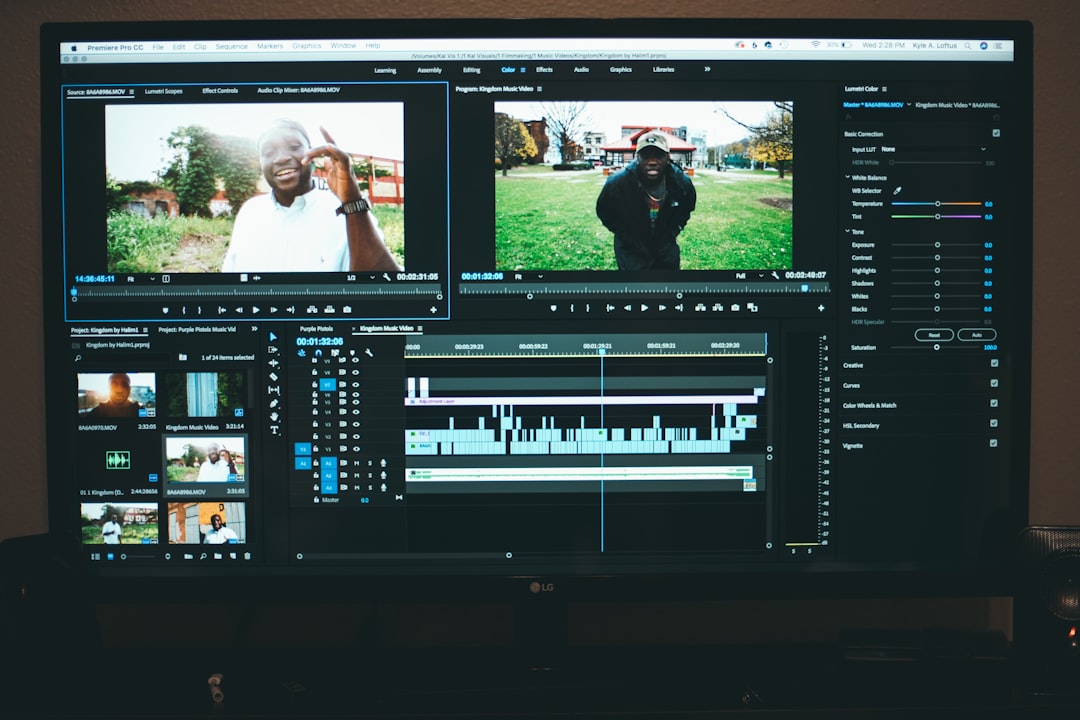
Breaking long videos into manageable clips helps stay within duration and resolution caps.
This approach offers several benefits:
- Reduced risk of total render failure
- Easier post-production adjustments
- Improved quota distribution
4. Implement API Backoff Logic
Developers should avoid sending rapid repeated requests after a failed call. Best practice includes:
- Exponential backoff retries
- Error-specific handling
- Logging rate-limit responses
This design pattern prevents cascading throttling events.
5. Upgrade Plans When Necessary
For businesses or high-volume creators, entry-tier plans may not suffice. Upgrading often unlocks:
- Higher daily quotas
- Increased concurrent jobs
- Advanced resolution support
- Dedicated enterprise infrastructure
Investing in the appropriate tier ensures reliability during heavy production cycles.
Enterprise vs Individual Limits
Individual users typically experience stricter quotas compared to enterprise partners. Business accounts may offer:
- Custom SLA agreements
- Priority rendering
- Dedicated compute allocation
- Expanded API bandwidth
This tiered structure reflects the broader scaling needs of commercial production teams.
The Future of Usage Limits
As generative video technology evolves, resource efficiency is likely to improve. Advances in hardware acceleration, model compression, and distributed infrastructure may gradually increase allowances. However, limits will always exist to ensure fair access and sustainable operation.
Creators who understand these boundaries—and work within them—gain a strategic advantage in production planning and cost efficiency.
FAQ
- What happens when Google Flow Veo 3 quota is exceeded?
When the quota is reached, new video generations are blocked until the reset period begins or the account is upgraded. - How often do usage limits reset?
Reset schedules vary by plan. Some limits reset daily, while others operate on monthly billing cycles. - Can rate limits be increased?
Yes, higher-tier subscription plans or enterprise agreements typically provide expanded rate allowances. - Why am I receiving a 429 error?
A 429 error indicates too many requests were sent in a short timeframe. Implementing retry delays can solve this issue. - Does video length affect quota usage?
Yes, longer and higher-resolution videos consume more compute credits and may count more heavily against limits. - Are content policy violations counted against usage caps?
Rejected generations generally do not consume full rendering credits, but repeated violations may impact account standing. - Can multiple projects run at the same time?
Only up to the concurrent job limit defined by the user’s subscription tier. - Is upgrading the only solution for frequent limit errors?
Not necessarily. Many errors can be resolved through prompt optimization, batching strategies, and better API management.
By understanding and respecting Google Flow Veo 3’s caps and restrictions, users can maintain smooth creative workflows while maximizing the platform’s powerful AI video capabilities.