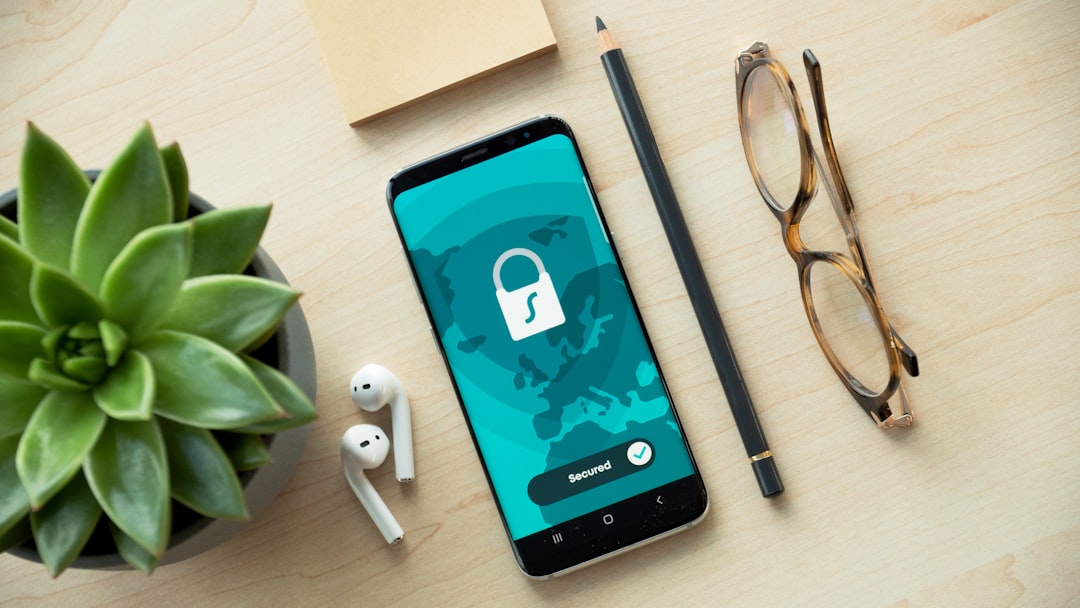
Smartphones are everywhere. In the office. At home. On the train. Employees use them to check email, join meetings, and access company files. That is great for productivity. But it can also be risky. This is where smartphone device management software, like VMware Workspace ONE, steps in to save the day.
TLDR: Smartphone device management software helps companies control and secure mobile devices. Tools like VMware Workspace ONE let IT teams manage apps, data, and access from one place. They protect sensitive information while keeping work simple for employees. It is all about smart control without slowing people down.
What Is Smartphone Device Management Software?
Let’s keep it simple.
Smartphone device management software is a system that helps companies control how mobile devices are used for work. These devices can be:
- Company-owned phones
- Employee-owned phones (BYOD – Bring Your Own Device)
- Tablets
- Laptops
The software gives IT departments a central dashboard. From there, they can monitor, update, and protect every connected device.
Think of it like a remote control for all company smartphones. One screen. Total visibility.
Image not found in postmetaWhy Do Companies Need It?
Because data is valuable. Very valuable.
Employees access:
- Customer information
- Financial records
- Internal documents
- Emails and chat messages
If a phone gets lost or stolen, that data could fall into the wrong hands. That is a nightmare scenario.
Device management software prevents this. It adds layers of security without making work harder.
Here’s what could go wrong without it:
- No password protection
- Outdated apps with security holes
- Employees installing risky applications
- Unauthorized access to company systems
That is a lot of risk. And risk costs money.
How VMware Workspace ONE Fits In
VMware Workspace ONE is a popular example of this kind of software. It combines mobility management with strong security features.
But what makes it special?
It does more than just lock phones.
- It manages applications.
- It controls access to company systems.
- It enforces security rules.
- It monitors device health.
All from one unified platform.
Instead of juggling five different tools, IT teams can use one.
Core Features Made Simple
Let’s break down the main features in plain language.
1. Mobile Device Management (MDM)
This is the foundation.
IT teams can:
- Enroll new devices
- Set password rules
- Lock or wipe devices remotely
- Track device compliance
If someone loses a phone, IT can erase company data instantly. Problem solved.
2. Mobile Application Management (MAM)
Not all apps are safe. Some can leak data.
With app management, companies can:
- Push approved apps to devices
- Block unsafe apps
- Update apps automatically
- Separate business apps from personal apps
This is especially useful for BYOD policies. Employees keep their personal stuff private. The company controls only the work part.
3. Identity and Access Management
Passwords alone are not enough anymore.
Workspace ONE supports:
- Single sign-on (SSO)
- Multi-factor authentication (MFA)
- Conditional access rules
For example, a user logging in from a trusted office device may have easy access. But the same user on an unknown Wi-Fi network may need extra verification.
Smart. Flexible. Secure.

What Is Conditional Access?
This sounds complex. But it is not.
Conditional access means access depends on certain conditions.
For example:
- Is the device up to date?
- Is it encrypted?
- Is it coming from a trusted location?
- Is the user verified?
If the answer is yes, access is granted.
If not, access is blocked or limited.
This reduces risk automatically. No manual checking needed.
BYOD: Friend or Foe?
Bring Your Own Device is popular. Employees like using their own phones. It feels comfortable.
But it creates challenges.
How do you protect company data on a personal device?
Device management software solves this with something called containerization.
This creates a separate, secure workspace on the phone. Work data stays inside that container. Personal photos and social apps stay outside.
IT controls only the work container. Not the entire phone.
This keeps everyone happy.
Benefits for IT Teams
Let’s talk about the people behind the scenes.
IT departments have a tough job. They manage hundreds. Sometimes thousands. Of devices.
With a tool like Workspace ONE, they get:
- Centralized control
- Automation of routine tasks
- Faster onboarding of new employees
- Real-time reporting
No more running around or manually configuring each phone.
Everything can be done remotely. Even updates.
Benefits for Employees
It is not just about control. It is about convenience too.
Employees enjoy:
- Easy access to apps
- Single sign-on convenience
- Automatic configuration
- Less password frustration
Imagine starting a new job.
You turn on your phone. Log in once. And all required apps appear automatically.
That feels smooth.
Security in a Remote Work World
Remote work is now normal.
Employees connect from:
- Home networks
- Coffee shops
- Airports
- Co-working spaces
Not all networks are secure.
Device management software reduces the risk by:
- Enforcing VPN usage
- Requiring device encryption
- Blocking jailbroken or rooted devices
- Monitoring suspicious activity
This creates a safety net around company data.
Compliance and Regulations
Many industries have strict rules.
- Healthcare has HIPAA.
- Finance has FINRA and other standards.
- Global companies deal with GDPR.
Failure to comply can mean heavy fines.
Device management tools help enforce policies automatically. They generate reports. They track compliance status. They alert IT if a device falls out of compliance.
This makes audits less stressful.
Automation Is the Secret Weapon
Modern device management platforms rely heavily on automation.
For example:
- When a new employee joins, the system auto-configures their device.
- When someone leaves, access is instantly revoked.
- If a security threat appears, policies update across all devices.
No delays. No manual errors.
Automation saves time. And time is money.
Challenges to Consider
No system is perfect.
Companies may face:
- Initial setup complexity
- Employee resistance to monitoring
- Integration issues with old systems
Good communication helps.
Employees should understand that the goal is data protection, not spying.
Transparency builds trust.
The Future of Mobile Access Control
Technology keeps evolving.
Future trends include:
- AI-driven threat detection
- Zero Trust security models
- Stronger biometric authentication
- Deeper cloud integration
The idea of Zero Trust is simple. Trust nothing. Verify everything.
Even if a device is inside the company network, it must prove it is safe.
This approach is becoming the new standard.
Final Thoughts
Smartphone device management software like VMware Workspace ONE is not just a technical tool. It is a business safeguard.
It protects sensitive information. It empowers remote work. It simplifies IT management. And it keeps employees productive.
In today’s mobile-first world, controlling mobile access is not optional. It is essential.
When done right, everyone wins.
The company stays secure.
Employees stay productive.
And IT teams stay sane.
That is the power of smart mobile device management.