
Vector software tools are widely used for tracing—the process of converting raster images or sketches into clean, scalable vector graphics. These tools are essential in graphic design, illustration, architecture, engineering, logo creation, and manufacturing workflows. By transforming pixel-based images into mathematically defined paths, designers can scale artwork infinitely without losing quality. Understanding how vector tracing works, its benefits, and which tools excel at it is crucial for professionals who require precision and flexibility.
TL;DR: Vector software tools are commonly used for tracing raster images into scalable vector graphics. They offer precision, editability, and high-quality results for logos, technical drawings, illustrations, and production design. Popular tools like Adobe Illustrator, CorelDRAW, and Inkscape provide both automatic and manual tracing features. These capabilities make vector tracing an essential process across creative and industrial industries.
Tracing is more than just copying an image. In professional contexts, it involves recreating shapes, lines, and curves as mathematical paths defined by anchor points and Bézier curves. Unlike raster graphics, which are composed of pixels and lose clarity when enlarged, vector graphics maintain sharpness at any scale. This makes tracing an indispensable technique for producing print-ready artwork, scalable branding materials, and production files for cutting machines or CNC systems.
What Is Vector Tracing?
Vector tracing is the process of converting bitmap or raster images—such as JPG, PNG, or scanned sketches—into vector format (such as SVG, AI, or EPS). It can be done manually by drawing over an image or automatically using built-in software algorithms.
There are two primary methods:
- Manual Tracing: Designers use pen or shape tools to redraw images with precise control.
- Automatic Tracing: Software analyzes pixel data and converts it into vector paths automatically.
Manual tracing offers higher accuracy and artistic control, while automatic tracing saves time for simpler graphics. In professional workflows, designers often combine both approaches—starting with auto-trace and refining manually.
Why Are Vector Software Tools Used for Tracing?
Vector tools are preferred because they provide capabilities that raster-based programs cannot. The key reasons include:
1. Infinite Scalability
Vector graphics are resolution-independent. Once traced, the image can be enlarged to billboard size or reduced to a business card without any degradation in quality.
2. Precision and Editability
Each path is adjustable. Designers can modify curves, adjust anchor points, change stroke thickness, and refine shapes with mathematical accuracy.
3. File Size Efficiency
Vector files for line art and logos often remain smaller than high-resolution raster equivalents, especially when dealing with simple graphics.
4. Professional Print and Production Compatibility
Printers, vinyl cutters, laser engravers, and embroidery machines require vector files to operate correctly. Tracing converts artwork into machine-readable formats.
5. Clean Line Art Creation
Artists frequently sketch on paper and scan their work. Vector tracing refines those sketches into smooth, clean outlines ready for coloring or animation.
Main Uses of Vector Tracing
Tracing is applied across numerous industries. Some of its most common professional uses include:
Logo Recreation and Brand Assets
Businesses often possess only raster versions of old logos. Designers trace them to produce scalable vector master files suitable for print and digital media.
Technical Drawing and Engineering
Architects and engineers trace blueprints to digitize legacy drawings. This allows accurate scaling and integration into CAD workflows.
Illustration and Character Art
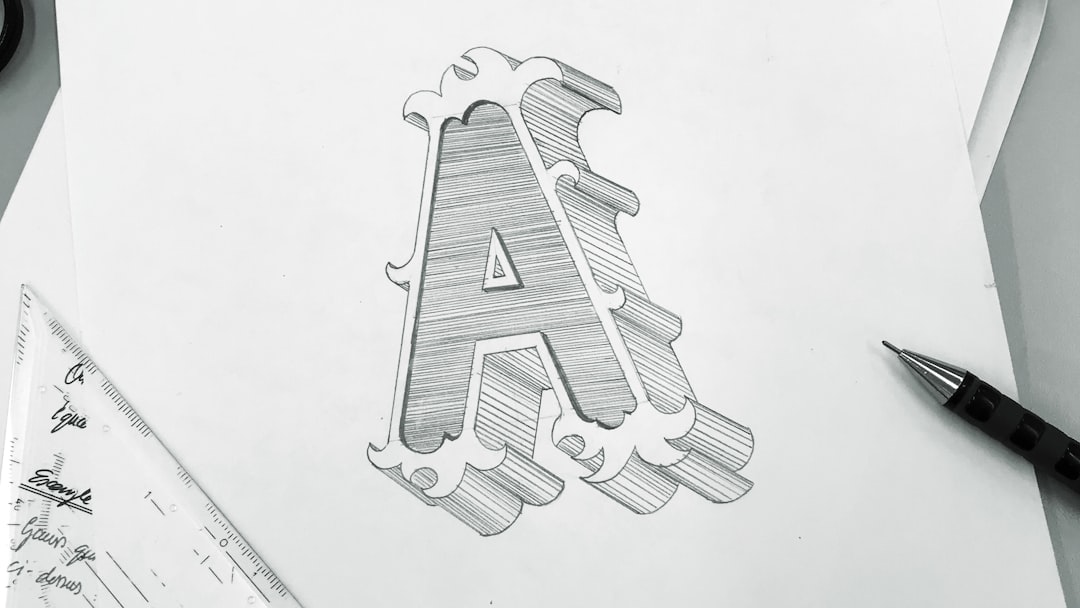
Illustrators sketch by hand, scan their drawings, and trace them digitally to create polished vector artwork for publications or animation.
Signage and Vinyl Cutting
Sign makers trace artwork to prepare files for plotters and cutting machines. Clean vector paths are essential for accurate material cutting.
Embroidery and Textile Design
Logos must be converted into simplified vector shapes before being digitized for stitching patterns.
How Vector Tracing Works
Vector tracing relies on mathematical representations of shapes. Instead of storing pixel color values, vector software defines shapes through:
- Anchor Points
- Bézier Curves
- Paths and Nodes
- Fill and Stroke Attributes
Automatic tracing tools analyze color transitions and edges within a raster image. The software detects boundaries between contrasting areas and converts them into vector paths. Advanced algorithms allow users to adjust:
- Threshold levels
- Number of colors
- Path smoothing
- Corner sharpness
- Noise reduction
After generating the initial trace, designers typically simplify paths to reduce unnecessary anchor points and ensure smooth curves.
Popular Vector Software Tools for Tracing
Several professional tools are widely recognized for their tracing capabilities. Below is an overview of leading options.
1. Adobe Illustrator
Adobe Illustrator features the powerful Image Trace function. It provides multiple presets (logo, high fidelity photo, black and white, etc.) and detailed controls for precision tuning.
- Advanced customization settings
- Strong integration with design workflows
- Industry-standard acceptance
2. CorelDRAW
CorelDRAW includes PowerTRACE, which offers efficient bitmap-to-vector conversion with adjustable detail and color grouping.
- User-friendly interface
- Solid performance for print shops
- Strong color management tools
3. Inkscape
Inkscape is an open-source vector editor featuring Trace Bitmap. It offers multiple scan options such as brightness cutoff, edge detection, and color quantization.
- Free and open-source
- Suitable for beginners and professionals
- Supports SVG standard natively
4. Affinity Designer
Affinity Designer provides tracing capabilities through external workflows and manual tools, focusing heavily on precision vector drawing.
- One-time purchase model
- Smooth performance
- High precision control tools
Comparison Chart of Vector Tracing Tools
| Software | Automatic Tracing | Manual Precision Tools | Best For | Pricing Model |
|---|---|---|---|---|
| Adobe Illustrator | Yes (Image Trace) | Advanced | Professional branding and illustration | Subscription |
| CorelDRAW | Yes (PowerTRACE) | Advanced | Print production and signage | Subscription or perpetual |
| Inkscape | Yes (Trace Bitmap) | Moderate to Advanced | Budget-conscious designers | Free |
| Affinity Designer | Limited automatic | Advanced | Detailed manual tracing | One-time purchase |
Benefits of Using Vector Software for Tracing
When compared to remaining in raster format, traced vectors offer measurable operational and creative advantages:
- Improved Brand Consistency: Ensures logos remain sharp across all mediums.
- Production Readiness: Enables compatibility with commercial printing and manufacturing equipment.
- Flexible Editing: Shapes and colors are easily modified without loss.
- Professional Appearance: Clean lines and precise curves elevate overall design quality.
- Long-Term Reusability: Vector master files can be adapted indefinitely for future projects.
For organizations managing brand assets or technical archives, having traced vector versions reduces operational risk and improves workflow efficiency.
Challenges and Limitations
While powerful, vector tracing is not without challenges:
- Highly detailed photographs may produce overly complex paths.
- Excessive anchor points can increase file complexity.
- Automatic tracing may require significant cleanup.
- Manual tracing demands time and skill.
Professionals must evaluate whether a design truly benefits from vector conversion. Not all photographs or gradients translate effectively into vector format without stylistic changes.
Best Practices for Effective Tracing
To achieve optimal results, experienced designers follow these guidelines:
- Start with the highest quality raster source available.
- Adjust contrast before tracing to improve edge detection.
- Use auto-trace as a foundation, then refine manually.
- Simplify paths to reduce unnecessary anchor points.
- Organize layers logically for easier future editing.
Applying these practices enhances both efficiency and output quality.
Conclusion
Vector software tools are not only used for tracing—they are fundamental to the process in modern design and production workflows. Whether recreating logos, refining illustrations, digitizing blueprints, or preparing signage files, tracing enables transformation from pixel-based images into scalable, precise vector graphics.
The benefits—scalability, editability, production compatibility, and professional quality—make vector tracing a critical capability across industries. By selecting appropriate software and applying best practices, designers and technical professionals can ensure reliable, high-quality results that meet both creative and operational standards.
In a world where adaptability and visual clarity are essential, vector tracing remains one of the most valuable processes in digital design.